


DEVMODE Community adalah platform kreator, tech founder dan developer untuk belajar, berdiskusi, dan berkarya di dunia digital.


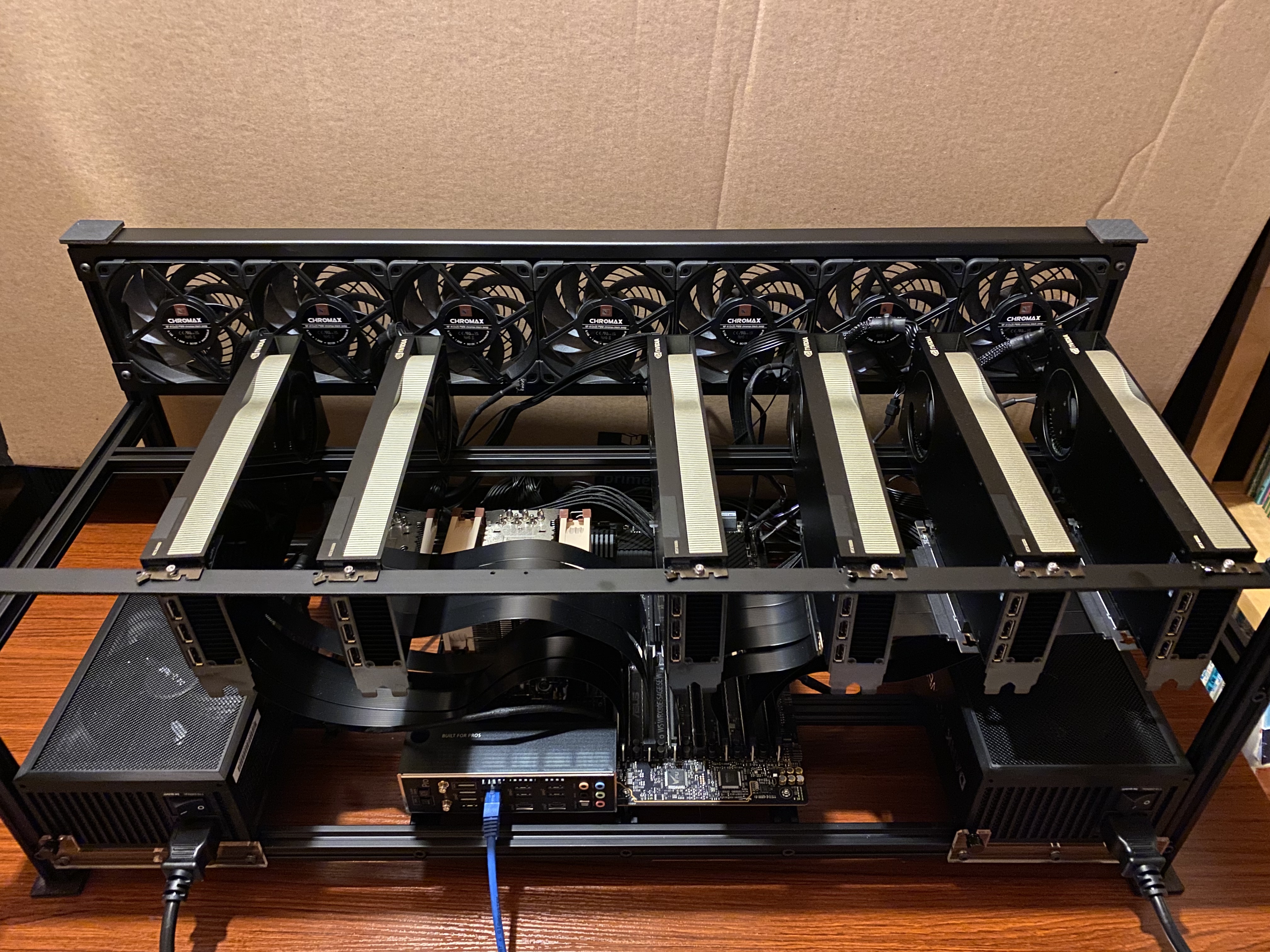


Self-hosting AI models bukan lagi domain enterprise saja. Dengan GPU consumer yang semakin powerful, membangun local AI server dari skala budget hingga enterprise kini menjadi opsi yang feasible untuk startup dan tim R&D di Indonesia.
Referensi utama dari pengalaman build $48K GPU server: Was my $48K GPU server worth it? oleh Rosmine AI.
Tier 1: Budget Build ($2,000 - $4,000)
Untuk eksperimen awal dan development:
- GPU: NVIDIA RTX 4090 24GB - sweet spot untuk model hingga 70B parameter quantized
- CPU: AMD Ryzen 7 7700X atau Intel i7-13700K
- RAM: 64GB DDR5-5600 untuk inference multitenant
- Storage: 2TB NVMe Gen4 untuk model weights dan dataset
- PSU: 850W 80+ Gold minimum
Dengan setup ini, kamu bisa jalankan Llama 3 70B Q4, Mistral Large, atau vision model seperti LLaVA secara lokal tanpa streaming ke cloud.
Tier 2: Mid-Range Workstation ($8,000 - $12,000)
Untuk tim 5-10 developer atau production inference ringan:
- GPU: Dual RTX 4090 atau single RTX 6000 Ada 48GB
- CPU: AMD Threadripper 7960X (24-core) untuk concurrent requests
- RAM: 128GB ECC DDR5
- Storage: 4TB NVMe + 8TB HDD cold storage untuk dataset
- Network: 10GbE untuk internal model serving
Dual GPU memungkinkan tensor parallel inference untuk model 100B+ parameter atau menjalankan multiple model instance secara simultan.
Tier 3: Enterprise Rack ($25,000 - $50,000+)
Setup seperti yang di-deploy Rosmine AI:
- GPU: 4x NVIDIA RTX 4090 atau 2x RTX 6000 Ada
- CPU: Dual Xeon atau EPYC 9004 series
- RAM: 256GB+ ECC
- Storage: 8TB NVMe RAID 10
- Cooling: Custom water loop atau rack HVAC dedicated
Pada tier ini, throughput mencapai 500+ token/detik untuk model 70B dan bisa handle fine-tuning workload full-parameter.
Software Stack dan Deployment
Setelah hardware ready, install software stack:
# Base OS: Ubuntu 22.04 LTS Server
sudo apt update && sudo apt install -y nvidia-driver-550 cuda-toolkit-12-4

# Container runtime
docker run --gpus all -v ~/models:/models -p 8000:8000 \
  vllm/vllm-openai:latest \
  --model /models/Llama-3-70B-Instruct-AWQ \
  --tensor-parallel-size 2 \
  --max-model-len 8192
vLLM adalah pilihan terbaik untuk production serving karena PagedAttention algorithm yang optimalkan memory utilization.
Optimasi Inference dan Cost-per-Token
Untuk maximize ROI dari hardware investment:
- Quantization: Gunakan AWQ atau GPTQ untuk reduce model size 4x dengan quality loss minimal
- Continuous Batching: Aktifkan di vLLM untuk handle multiple concurrent users tanpa latency spike
- Speculative Decoding: Speed up inference 2-3x dengan draft model kecil (Llama 3 8B sebagai drafter untuk 70B target)
- Prefix Caching: Cache attention KV untuk system prompt yang sama, mengurangi compute 30-50%
Monitoring dan Maintenance
Server AI butuh monitoring khusus:
# GPU monitoring
nvidia-smi dmon -s pucvmet

# Temperature and power throttling check
nvidia-smi -q -d TEMPERATURE,PERFORMANCE | grep -E "Temperature|Clocks|Power"
Pastikan ruangan server memiliki ventilasi memadai. GPU consumer tidak designed untuk 24/7 full load di ruangan tanpa AC. Budget 10-15% dari total build cost untuk cooling dan UPS.
Referensi build detail: Rosmine AI - Was my $48K GPU worth it?.

Punya Produk Keren? Showcase Sekarang!
Dapatkan feedback, users, dan eksposur dari komunitas kreator, developer, dan entrepreneur digital Indonesia.
Submit Produk → Pelajari Dulu