


DEVMODE Community adalah platform kreator, tech founder dan developer untuk belajar, berdiskusi, dan berkarya di dunia digital.


Dipublikasikan 14 Agustus 2026
Nous Research Releases Hermes Bot Mode for Desktop AI Agents
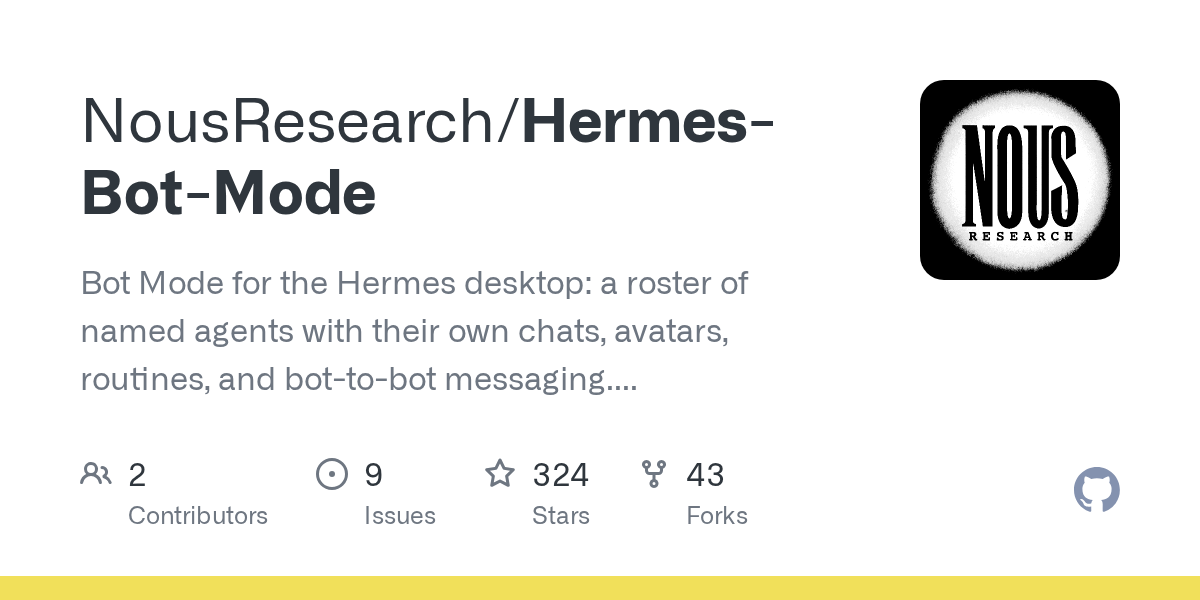
Nous Research has shipped a fresh desktop plugin that transforms how developers interact with the Hermes Agent ecosystem. Called Hermes Bot Mode, the tool turns isolated agent profiles into a visual roster of named bots, each running its own chat thread, avatar, personality, and schedule. It is a pure UI layer: no core patches, no background daemons, and no extra storage backends.
According to the official repository, the plugin was built for the Hermes desktop app and installs into ~/.hermes/desktop-plugins/. Within days of its public release, the repo has already attracted more than 320 stars and 40 forks, signaling strong interest from the agentic-workflow community.
What Hermes Bot Mode Actually Does
At its core, a "bot" is just a standard Hermes profile. The plugin exposes that primitive through a friendly desktop interface. Users get a left-side Bots pane that lists every agent profile as a row: avatar, latest-message preview, and timestamp. Click a bot and you drop straight into its isolated conversation history.
Creating a new agent takes seconds. The New Agent flow asks for a name, title, and description. An Advanced disclosure opens the full profile config: clone from an existing profile, pin a specific provider or model, write a custom SOUL.md, and skip bundled skills if you want a leaner setup.
Avatars, Pets, and Personality
Hermes Bot Mode does not settle for boring initials. The plugin ships cute geometric faces built from seven shapes and ten colors, complete with blinking eyes that scan while the bot works. If you prefer something personal, you can upload an image or generate an AI portrait when an image backend is configured. There is even a pixel pet companion that bounces beside the avatar whenever the bot is busy.
Avatar and pet customizations live in plugin storage, so the underlying profile stays clean. Right-click any bot to edit its look, title, and description on the fly. A Duplicate option clones the full bot: config, skills, SOUL.md, memory, and visual identity.
Routines and Scheduled Tasks
The Routines pane adds recurring tasks per bot, backed by Hermes cron. Think "summarize my inbox every morning" or "check CI status every hour." Each routine is namespaced as [bot:<name>] <routine>, so it also appears in hermes cron list and the core Cron page. When a routine fires, its result lands directly in the bot's own chat history. That keeps context together instead of scattering logs across different UI panels.
Bot-to-Bot Messaging and Mentions
Perhaps the most forward-looking feature is Agent Inbox. Every bot gets a persistent conversation that other bots can write into. Messages carry attribution: [Message from agent 'researcher']. The receiving bot's SOUL.md teaches it the protocol, including how and when to reply. Behind the scenes, delivery is a real CLI handoff: hermes -p <bot> chat -c "Agent Inbox" -q "...".
For users who do not want to switch panes manually, the plugin supports @mentions. Type @researcher have a look at this in any chat and the active bot hands the message off, waits for the reply, and reports back. It feels like tagging a colleague in Slack, except your colleague is another AI agent running on the same machine.
Architecture: Zero Core Patches
The developers emphasize that everything rides on existing Hermes surface. Chats open via cross-profile session navigation. Creation and editing use the profiles.* gateway RPCs. Avatar generation calls image.generate and works over both local and remote gateways. Routines are plain Hermes cron jobs. Bot-to-bot messages are standard CLI invocations.
The only hard dependency is the Hermes desktop app with the plugin SDK. Feature detection keeps the roster working even on older gateways, while Advanced editing and avatar generation light up only when the newer RPCs are present. This graceful-degradation approach means the plugin is safe to install on mixed environments without breaking existing workflows.
Installation and Requirements
Installing the plugin is a single git clone into the desktop-plugins directory:
git clone https://github.com/NousResearch/Hermes-Bot-Mode ~/.hermes/desktop-plugins/hermes-botsAfter reloading plugins in the Hermes desktop app or restarting the app, a Bots tab appears next to Sessions and a Routines tile docks beside the conversation. The repository notes that this is a desktop-side install, not a gateway-side install. If your gateway runs on a homelab and your desktop app runs on a MacBook, you install on the MacBook.
Why This Matters for Agentic Workflows
Multi-agent orchestration is one of the loudest themes in AI infrastructure this year. Frameworks like AutoGen, CrewAI, and LangGraph already let developers spin up teams of agents, but most of them stay hidden behind CLI flags or JSON configs. Hermes Bot Mode brings them to the surface. You see your agents, you chat with them individually, and you let them message each other without writing custom glue code.
For developers building internal AI tools, this reduces the gap between "prototype that works in a notebook" and "tool the team actually uses every day." A support bot, a research bot, and a code-review bot can coexist on the same desktop, each with its own memory and credentials, without stepping on each other's context. When one bot needs input from another, an @mention handles the routing.
Current Limitations
The README is transparent about what is not yet implemented. Deleting a profile is intentionally absent from the UI: use hermes profile delete <name> for now. Bot-to-bot delivery is per-invocation, meaning the receiving bot sees the message when it next runs; live interruption of a mid-conversation bot is flagged as upstream future work. These are reasonable boundaries for a desktop plugin that launched days ago.
Conclusion
Hermes Bot Mode is a pragmatic take on multi-agent desktop UX. It does not invent new infrastructure; it puts a friendly face on the profiles and RPCs that already exist inside Hermes Agent. For developers already living in the Hermes ecosystem, that is exactly the right move. Less plumbing, more productivity. The plugin is open source under the MIT license, and the GitHub repository contains the full source, screenshots, and install instructions.

Punya Produk Keren? Showcase Sekarang!
Dapatkan feedback, users, dan eksposur dari komunitas kreator, developer, dan entrepreneur digital Indonesia.
Submit Produk → Pelajari Dulu